Invite Friends & Learn Together
Build your learning squad, earn bonus credits, and keep each other motivated with streaks and mini leagues.
Open the Friends tab
Tap the Friends icon in the bottom navigation bar. You'll land on your Learning Squad where you can see every friend's current streak and XP at a glance — perfect for a bit of friendly competition.
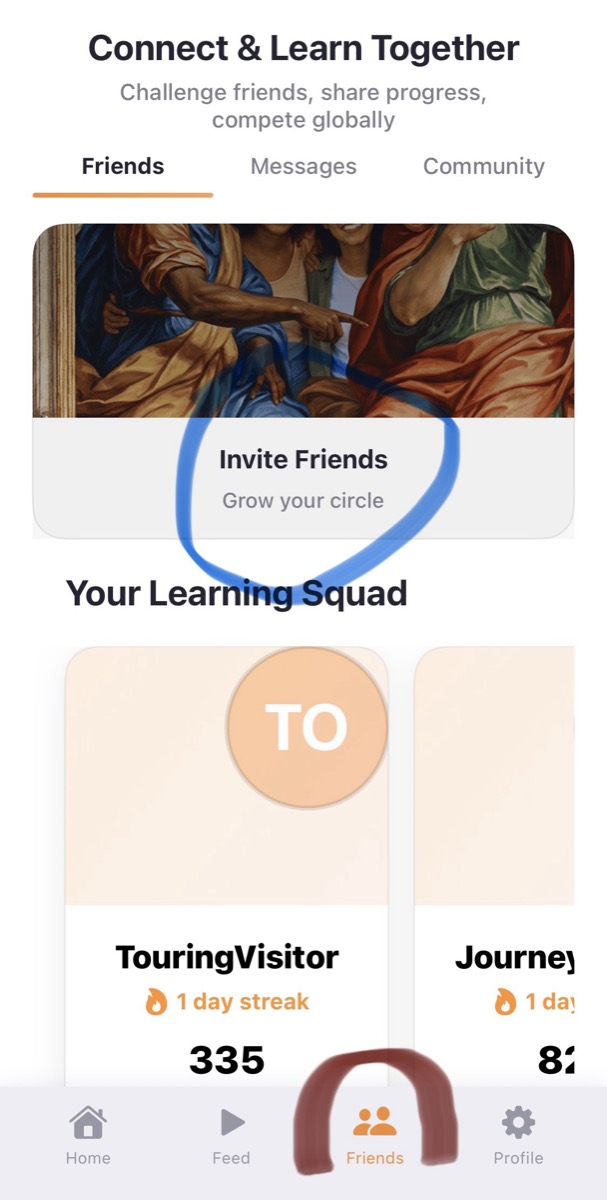
Share your invite code
Tap "Invite Friends" at the top of the screen to reveal your personal invite code and QR code. You'll earn 50 credits for every friend who joins, and they'll get 25 bonus credits too.
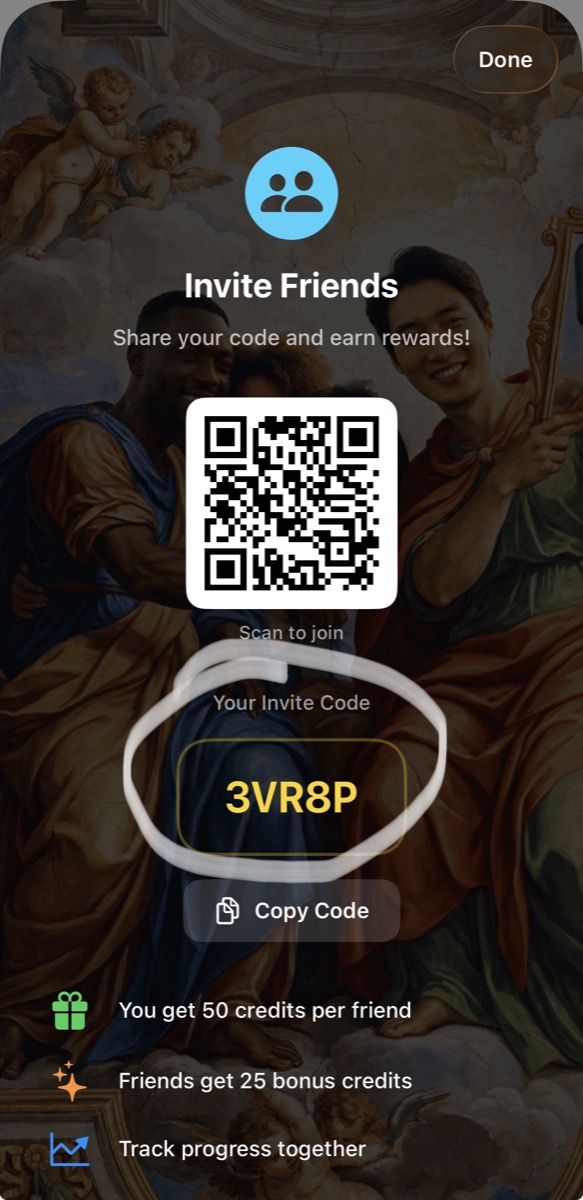
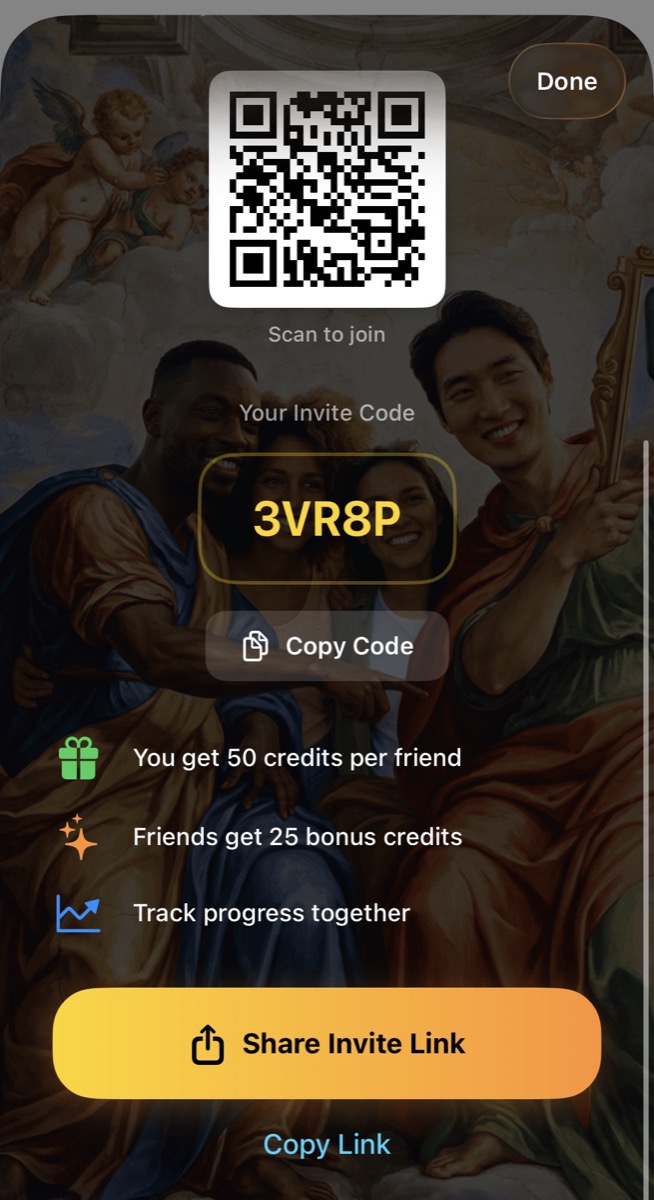
Send your link
Hit "Share Invite Link" to send it via WhatsApp, iMessage, or any app — or tap "Copy Link" to grab it directly. Your friends will receive a link that looks like this:
One tap on the link and they're added to your squad automatically.
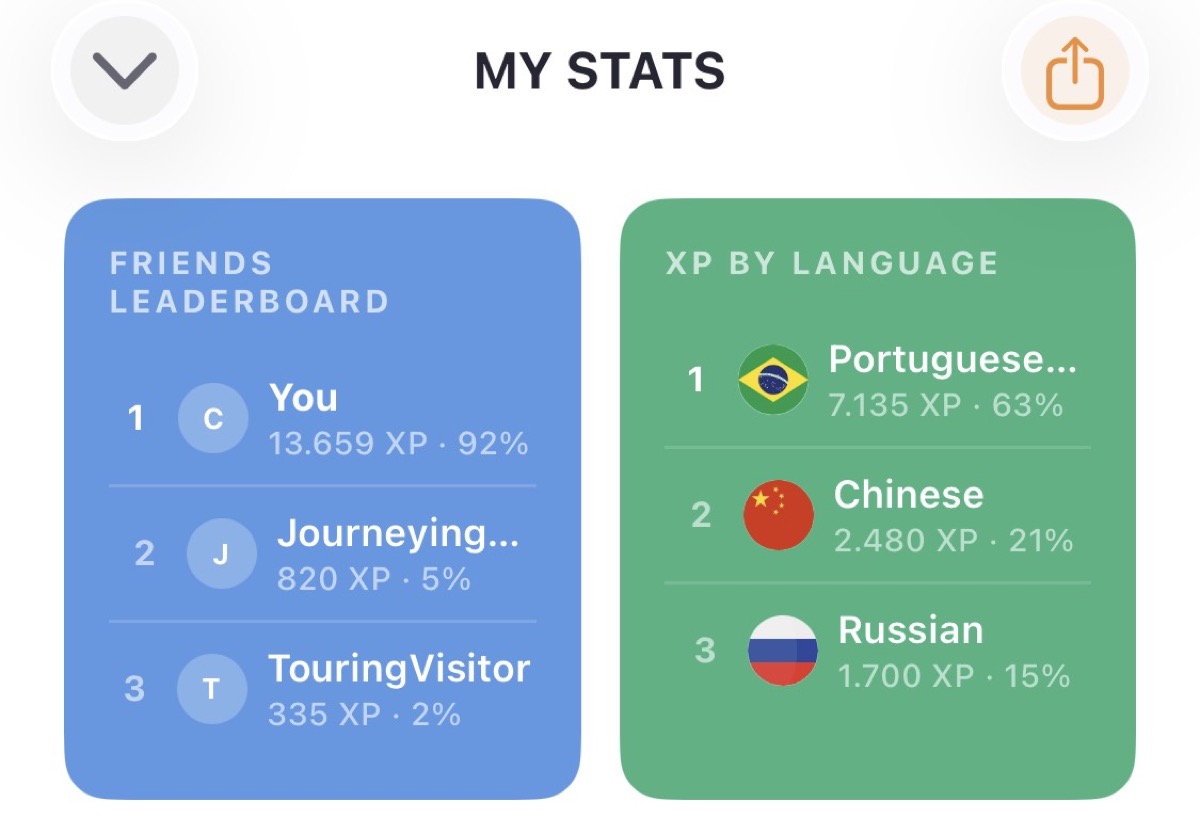
Compete in your mini league
Once friends join, you'll see a Friends Leaderboard ranking everyone by XP. Track who's putting in the work, compare streaks, and keep each other accountable — a little friendly rivalry goes a long way.





28 languages and counting
Try It Yourself in LangFeed
16 tools in one app. Start for free today.